User Access and Permissions
This chapter contains descriptions of available user roles in the Studio and their access rights.
Contents
1 User roles
The Studio operates with 4 user roles: Admin, Customer Admin, Maintenance, and Operator.
Admin
Created by Photoneo upon installation, used only by Photoneo employees
Purpose: Development, testing, and support.
Access: Unlimited access. Create, view, modify and delete any item in the Studio. Manage settings, network, and documentation pages. Create, modify and delete other users.
Customer Admin
Created as the Master account with every new installation of the Studio.
Purpose: Elevated access for customers to set up solutions and manage employees.
Access: Create and modify his own solutions. Create, modify and delete his own users. Adjust settings.
Group: customer_admin
Maintenance
Created by Master account (Customer Admin) or Admin as needed.
Purpose: Basic access for customers to set up and use solutions.
Access: Create and modify his own solutions. Adjust basic settings. No user management.
Group: maintenance
Operator
Created by Master account (Customer Admin) or Admin as needed.
Purpose: Minimal access for customers to use existing solutions.
Access: List and deploy completed solutions. Without create and modify access.
Group: operator
2 Permissions
These are the permissions granted to the respective User roles.
2.1 Solution access
Access to solutions and their elements (Picked object, Gripping points, Grasping method, Vision system, Environment, Settings). If a user can modify a solution, that user can also edit these items within the solution.
Permissions in the following table are grouped as such for better readability:
View = List, Duplicate, Export
Modify = Open, Edit, Delete
Action |
Customer Admin |
Maintenance |
Operator |
|---|---|---|---|
Add a new solution |
o |
o |
|
Import a solution from pbcf. file |
o |
o |
|
Modify solutions owned by Customer Admin |
o |
||
Modify solutions owned by Maintenance |
o |
||
Modify own solutions |
o |
o |
|
View solutions marked factory default |
o |
o |
|
View solutions owned by Customer Admin |
o |
o |
|
View solutions owned by Maintenance |
o |
o |
|
View own solutions |
o |
o |
|
Deploy solutions marked factory default * |
o |
o |
o |
Deploy solutions owned by Customer Admin * |
o |
o |
o |
Deploy solutions owned by Maintenance * |
o |
o |
o |
* Only solutions marked ** ready ** can be deployed.
2.2 Gripper access
Access to grippers, which can be shared between solutions. Note that Operators may not make changes to grippers in solutions.
The permissions in the following table are grouped as such for better readability:
View = List, Duplicate
Modify = Open, Edit, Delete
Action |
Customer Admin |
Maintenance |
Operator |
|---|---|---|---|
Add a new gripper |
o |
o |
|
View all grippers |
o |
o |
|
Modify grippers owned by Customer Admin |
o |
||
Modify grippers owned by Maintenance |
o |
o |
|
Modify own grippers |
o |
o |
2.3 Robot access
Access to robots and custom robots, which can be shared between solutions. Note that Operators may not make changes to robots in solutions.
Action |
Customer Admin |
Maintenance |
Operator |
|---|---|---|---|
View robots Validated in simulation |
o |
o |
|
View robots Tested in production |
o |
o |
|
Select robot |
o |
o |
2.4 Pages access
Access to the Documentation section.
Action |
Customer Admin |
Maintenance |
Operator |
|---|---|---|---|
View documentation pages |
o |
o |
o |
2.5 Users access
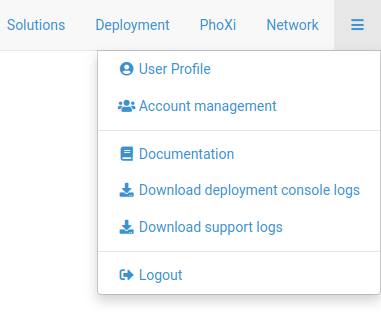
Access to User profile and Account management section.
Action |
Customer Admin |
Maintenance |
Operator |
|---|---|---|---|
Edit his own user profile. |
o |
o |
o |
Add, edit, and delete the Customer Admin user |
o |
||
Add, edit, and delete Maintenance user |
o |
||
Add, edit, and delete Operator user |
|||
Change the role of a user (to CA, M, or O) |
o |
2.6 Other permissions
Access to other sections in the Studio, such as the PhoXi interface and Network settings.
Action |
Customer Admin |
Maintenance |
Operator |
|---|---|---|---|
Change network settings |
o |
||
Change solution basic settings |
o |
o |
|
Use PhoXi interface |
o |
o |
3 Account management
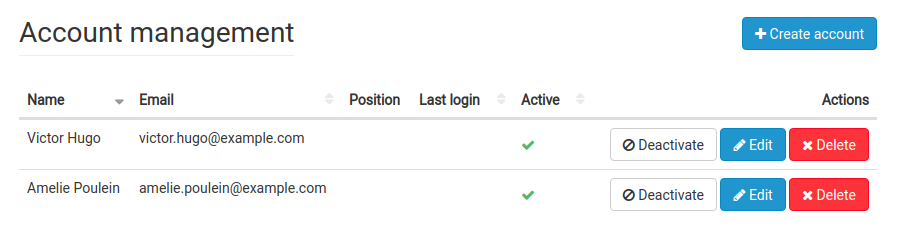
When logged in with your Master account, you can manage user accounts via the Account management section. Here you can create, modify and/or delete employee accounts as needed.