CAD multiview localization
The MultiView module for CAD localization allows capturing scans of the scene from various view-points, merging them together and running the localization on the resulting point cloud. This approach yields more detailed and complete point clouds of challenging scenes and therefore increases the success rate of the localization engine.
The MultiView module supports two configurations:
Static MultiView - individual scans of the scene are captured from statically mounted 3D sensors
Hand-eye MultiView - all scans are captured from a single 3D sensor mounted on the robotic arm
Static MultiView
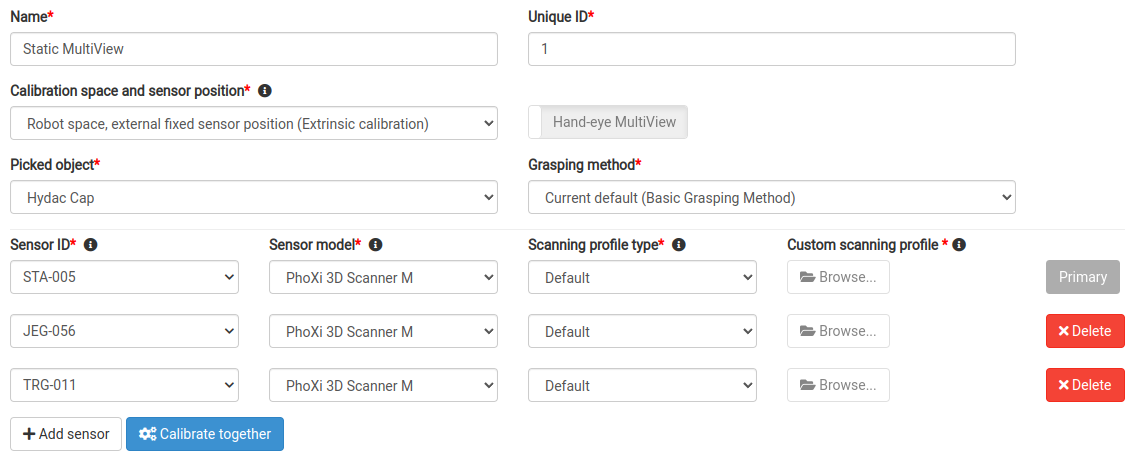
select Robot space, external fixed sensor position as Calibration space and sensor position
add more than one 3D sensor into your vision system configuration
The first configured sensor is the primary sensor.
Robot-camera calibration of the primary sensor with respect to the robot
Multi-sensor calibration of all secondary sensors with respect to the primary sensor
This calibration procedure is started by clicking the button Calibrate together below the sensors
Hand-eye MultiView
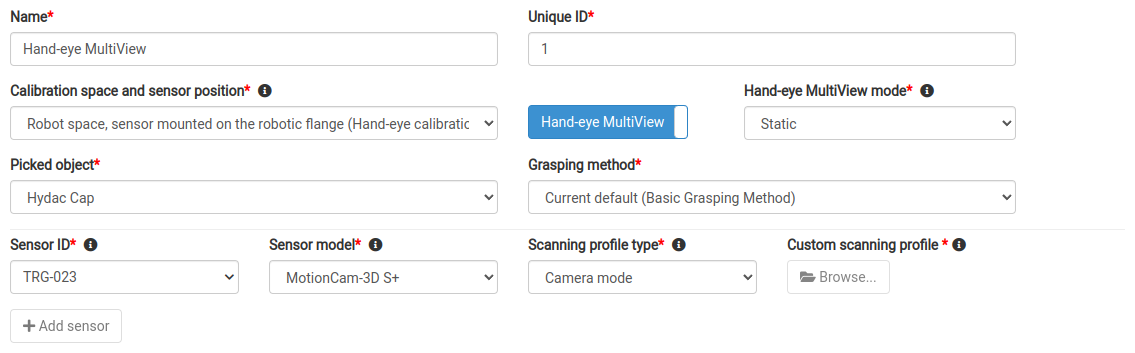
select Robot space, sensor mounted on the robotic flange as Calibration space and sensor position
switch on the Hand-eye MultiView toggle
select the mode:
- StaticThe scans must be acquired while the robot is not moving. All sensor types are supported.
- DynamicThe first scan must be acquired while the robot is not moving.The following scans can be acquired while the robot is moving - MotionCam-3D in Camera mode must be used. If stopping, any sensor type can be used.
select a suitable 3D sensor for the chosen mode
- Static modeEvery Trigger scan request must contain the TCP of the robot in its payload. Make sure the robot is still when sending the request and that the TCP values are settled.
- Dynamic modeThe very first Trigger scan request must contain the TCP of the robot in its payload. Make sure the robot is still when sending the request and that the TCP values are settled.The following requests do not have to contain the current TCP (if they do, it is ignored).
When all scans have been captured, the standard Scan action request is used to start creation of the virtual merged point cloud from all added scans and trigger the localization (and path planning in case of bin picking solution type).